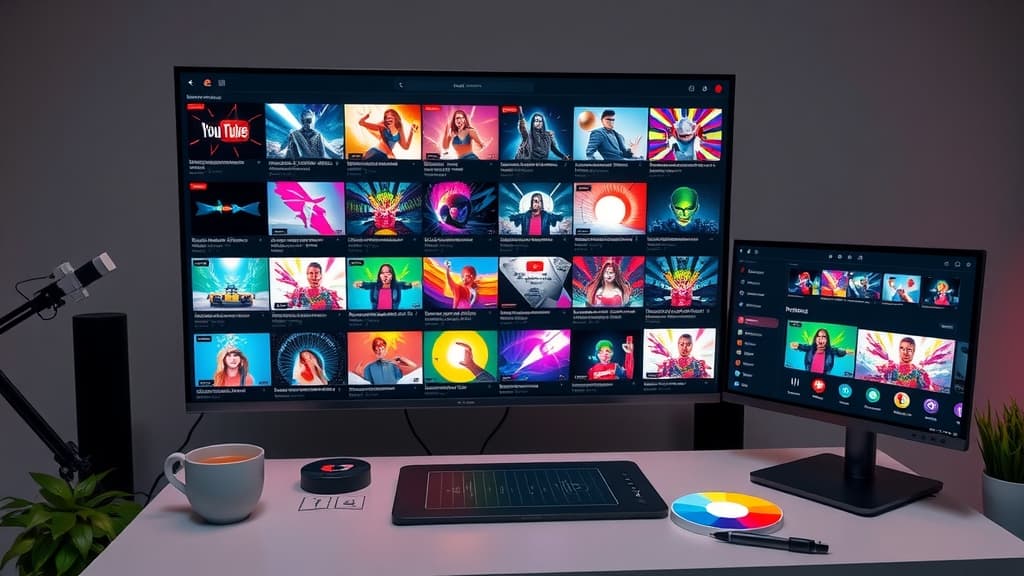
If you’ve ever stared at a blank canvas wondering how to make a YouTube thumbnail that actually pulls viewers in, you’re not alone. An AI thumbnail generator for YouTube can turn that uncertainty into a fast, data‑backed workflow that consistently delivers eye‑catching images. In this guide we’ll walk through why thumbnails matter, how the AI engine works, and the exact steps you can take today to start generating high‑performing thumbnails for every video you upload.
Table of Contents
- Why Thumbnails Matter for YouTube Success
- How an AI Thumbnail Generator Works
- Step‑by‑Step Workflow to Create a Winning Thumbnail
- Testing and Iterating: Turning Data into Better Designs
- Common Mistakes and How to Avoid Them
- Integrating AI Thumbnails into Your Overall Video Strategy
- Future Trends: What’s Next for AI‑Powered Visuals
- Summary & Next Steps
Why Thumbnails Matter for YouTube Success
A thumbnail is the first visual cue a viewer sees before deciding to click. A compelling image can lift your click‑through rate (CTR) by double‑digits, while a bland one can bury a great video in the algorithm. Here’s why a smart thumbnail matters:
- First‑impression power – The brain processes images 60,000 times faster than text, so a striking visual instantly grabs attention.
- Brand consistency – Repeating color palettes, fonts, and style cues builds a recognisable channel identity.
- Algorithm boost – Higher CTR signals relevance to YouTube’s recommendation system, helping the platform surface your content to more users.
An AI thumbnail generator for YouTube leverages these principles by automatically applying proven design patterns, letting you focus on content while the AI handles the visual hook.
How an AI Thumbnail Generator Works
Modern AI thumbnail tools combine large‑scale image datasets with machine‑learning models that understand what drives clicks. The process can be broken down into three core stages:
- Scene analysis – The AI scans your video’s frames, identifying faces, objects, and motion peaks that are most likely to attract eyes.
- Design synthesis – Using a library of high‑performing layouts, the engine blends text, contrast, and graphic elements to create multiple thumbnail options in seconds.
- Performance prediction – Built‑in analytics estimate the expected CTR for each version, allowing you to pick the strongest candidate before publishing.
An interesting fact: many creators who adopt AI‑generated thumbnails report a 15‑30 % lift in CTR within the first month, simply because the AI surfaces combinations they would never have tried manually.
Step‑by‑Step Workflow to Create a Winning Thumbnail
Below is a practical, repeatable workflow you can embed into your video production pipeline. Follow each step and you’ll have a polished thumbnail ready before your video goes live.
- Upload the raw video – Drop the finished video into the AI generator. The system will automatically extract key frames.
- Select a focal frame – Choose the frame that best represents the video’s core message. The AI often highlights the most expressive facial shot or action moment.
- Define your text hook – Write a short, punchy phrase (4‑6 words) that complements the visual. Think of it as the headline of a news story.
- Choose a style template – Pick from AI‑curated templates that match your niche (e.g., tutorial, vlog, gaming). Each template comes pre‑set with optimal font size, color contrast, and placement.
- Generate variations – Let the AI spin out 3‑5 thumbnail options based on the selected frame and text. You’ll receive a preview of each with an estimated CTR score.
- Pick the top performer – Review the AI’s predictions, but also trust your gut. Choose the thumbnail that feels most aligned with your brand voice.
- Download and upload – Export the final PNG at 1280 × 720 px, then attach it to your YouTube video during the upload process.
Testing and Iterating: Turning Data into Better Designs
Even the best AI suggestions benefit from real‑world testing. Here’s how to turn predictions into measurable improvements:
- A/B test across uploads – Rotate two AI‑generated thumbnails for similar videos and monitor CTR differences over a 48‑hour window.
- Track performance metrics – Keep a simple spreadsheet of thumbnail version, predicted CTR, actual CTR, and watch time. Look for patterns where AI scores align—or miss—the reality.
- Refine text hooks – Small tweaks in wording (adding “How To” vs. “Tips”) can shift click rates dramatically. Use AI’s quick generation ability to iterate without extra design time.
- Leverage audience feedback – Scan comments for mentions of “thumbnail” or “cover.” Direct viewer input can highlight visual elements that resonate.
By treating thumbnails as a testable asset rather than a static graphic, you turn every upload into a learning opportunity.
Common Mistakes and How to Avoid Them
Even with an AI thumbnail generator for YouTube, creators fall into familiar traps. Spot these pitfalls early:
- Over‑crowding the image – Too many elements dilute focus. Stick to one main visual and a concise text hook.
- Ignoring brand colors – Mismatched palettes can confuse returning viewers. Set your brand colors once in the AI tool and reuse them consistently.
- Using low‑resolution frames – Pixelated thumbnails appear unprofessional. Ensure the AI selects a frame with sufficient resolution before enhancement.
- Neglecting mobile preview – Small screens dominate YouTube traffic. Preview thumbnails at 25 % size to confirm readability.
- Relying solely on AI scores – Blind trust can miss contextual nuances. Blend AI insights with your own audience knowledge.
Addressing these issues keeps your thumbnails sharp, on‑brand, and click‑ready.
Integrating AI Thumbnails into Your Overall Video Strategy
A thumbnail is just one piece of a larger content puzzle. Here’s how to weave AI‑generated visuals into a cohesive strategy:
- Sync with titles – Align the thumbnail’s visual promise with the video title’s keyword focus. Consistency boosts algorithmic relevance.
- Plan series branding – For recurring series, create a master template in the AI tool that automatically inserts episode numbers or guest names.
- Cross‑promote on social – Export the same AI thumbnail for Instagram, TikTok, or Facebook teasers. Uniform visuals reinforce channel identity across platforms.
- Schedule production – Generate thumbnails during the editing phase, not after upload. This ensures you have the final image ready for promotion on launch day.
- Analyze holistically – Combine thumbnail CTR data with watch time and subscriber growth to gauge overall impact on channel health.
When thumbnails work hand‑in‑hand with titles, descriptions, and promotion, the entire video ecosystem thrives.
Future Trends: What’s Next for AI‑Powered Visuals
The AI thumbnail space is evolving fast. Keep an eye on these upcoming developments:
- Real‑time dynamic thumbnails – AI could swap thumbnail images based on viewer demographics or time of day, personalising the hook for each audience segment.
- Voice‑to‑text integration – Future tools may auto‑generate text hooks from your video’s spoken keywords, cutting copywriting time to zero.
- Emotion‑based layout selection – Advanced models will detect the emotional tone of your video and automatically choose layouts that amplify that feeling.
- Cross‑modal generation – Combining audio cues with visual design to produce thumbnails that echo background music or sound effects.
Staying aware of these trends positions you to adopt new capabilities before they become mainstream, keeping your channel ahead of the curve.
Summary & Next Steps
Creating compelling YouTube thumbnails no longer requires a graphic designer sitting at a desk for hours. An AI thumbnail generator for YouTube gives you the speed, data‑driven insights, and creative flexibility to produce click‑magnet images on demand. By following the workflow outlined above, testing variations, and avoiding common pitfalls, you can consistently raise your CTR and grow your audience.
Ready to create professional ads and marketing videos with AI? Try ArtFly's tools today and grow your business!
Related Articles
AI Content Creation: A Complete Guide for Small Business Owners
Learn how to use AI content creation tools to control outgoings and grow your business. Practical tips and workflows inside.
8 min read
Master Your Marketing with an AI Video Generator
Discover how an ai video generator can transform your marketing strategy. Learn practical workflows for text-to-video and image-to-video creation.
7 min read
The Best AI Tools for Marketing to Boost Your 2026 Campaigns
Discover the top AI tools for marketing that streamline content creation, automation, and strategy. Learn how to boost ROI today.
9 min readReady to Create?
Start using ArtFly AI today and bring your creative vision to life with powerful AI tools.
Get Started Free